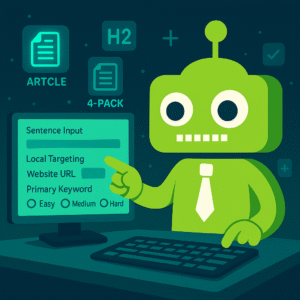
How to Generate Your Fully SEO-Optimized Blog Post
Whether you’re generating 1 article or a 4-Pack, the process is the same.
A 4-Pack simply lets you repeat the submission steps for four separate articles.
1. Create Your Account
Go to BlogAndPost.com and create your account inside our customer portal (powered by aMember).
Once logged in, select “Add New Services“ in My Account or Click Here.
2. Choose Your Article Package
After you select the Single Article or 4-Pack option, you’ll see a set fields appear. These fields tell our system what to research, which keywords to analyze, and how to structure your blog post.
You will need to fill out the following fields:
- Required: Enter Your Sentence, Website, Primary Keyword To Target, Select Keyword Difficulty
- Optional: Local Targeting
Each field is explained below.
3. What Each Field Means (and Why It Matters)
(1) Enter Your Sentence — Required
This is the foundation of your article — the “seed idea” that the full blog post will be built around.
Examples:
- “How to clean solar panels at home”
- “2025 restaurant marketing strategies”
- “Benefits of hiring a professional roofer”
How this shapes your article: Our engine reads this sentence, understands the intent,
and builds the overall structure around it, including headings, related topics, and SEO terms.
(2) Local Targeting — Optional
Use this field if your article should target a specific city, region, or service area.
Examples:
- “Dallas Fort Worth”
- “Phoenix AZ”
- “Miami Beach”
- “United States” (for nationwide targeting)
How this shapes your article: Local Targeting adjusts keyword research and competitor
analysis to match local search behavior and local ranking difficulty. If you don’t need local SEO, you can leave this blank.
(3) Website — Required
Enter your full website URL (for example: https://yourwebsite.com).
How this shapes your article: We analyze your site to understand:
- Domain Authority / domain strength
- Your niche and topical footprint
- Existing keyword and content patterns
- Competition levels appropriate for your site
This allows us to focus on keywords you can realistically rank for instead of overly competitive terms.
(4) Primary Keyword To Target — Required
This is the main keyword you want your article to rank for.
Examples:
- “home staging tips”
- “mobile dog grooming”
- “keto meal plan for beginners”
How this shapes your article: The primary keyword becomes the anchor for:
- Headline and title creation
- H1/H2 structure
- Semantic keyword variations
- Search intent alignment
- On-page SEO optimization
If you aren’t sure what keyword to use, you can repeat your main sentence here.
The system will still optimize the article correctly.
(5) Select Keyword Difficulty — Required
Choose how competitive you want your target keyword to be. This uses Keyword Difficulty (KD) ranges:
- Easy (0–29 KD)
Best for new or low-authority sites and for the fastest chance to rank. - Medium (30–69 KD)
Good for moderately established websites that want a balance of traffic and realistic competition. - Hard (70–100 KD)
Intended for strong, authoritative websites comfortable targeting very competitive keywords.
How this shapes your article: Keyword difficulty affects:
- Which keywords our SEO APIs pull and prioritize
- The competition level we analyze in your niche
- How aggressively we position your article for rankings
If you’re unsure, choose Easy. It’s the safest option for most websites.
4. Complete Your Purchase (ClickBank Checkout)
After you fill out all fields, click to continue. You will be redirected to ClickBank
to complete your purchase. Your article will not begin generating until payment is successfully approved.
5. Article Generation Begins Automatically
When ClickBank confirms your order, BlogAndPost automatically:
- Pulls the details from your submitted fields
- Performs live keyword research via SEMRush and DataForSEO
- Analyzes your website’s strength and topical footprint
- Builds an SEO-optimized outline aligned with search intent
- Writes and formats your article in clean, WordPress-ready HTML
This is work that typically takes an SEO expert 1–3 hours. BlogAndPost does it in about 10–30 seconds.
6. Your Article Is Delivered by Email
Once the article is generated, it is emailed automatically to the email address on your account file.
If you purchased a 4-Pack, you will repeat this process for each article until all four posts are generated.
7. Need a Regeneration or Revision?
If you purchased a Single Article or 4-Pack and would like a regeneration or adjustment:
- Go to My Account → HelpDesk
- Open a new support ticket
- Explain what you’d like changed or regenerated
A member of our support team will review your request and assist you shortly.
(Unlimited Plan members can regenerate articles directly, but Single/4-Pack customers must request regenerations through the HelpDesk.)